What Zero Aircraft Actually Tells You
ADS-B feeding has gotten complicated with all the conflicting advice flying around. As someone who bricked two setups before finally getting it right, I learned everything there is to know about diagnosing a dead feeder. Today, I will share it all with you.
Your feeder shows zero aircraft. You set it up last night, followed the wiring diagram, powered it on, refreshed the dashboard. Nothing. Blank map. Zero messages per second. So, without further ado, let’s dive in — because before you order replacement hardware, you need to understand what zero aircraft is actually telling you.
It’s almost never a software problem on day one. Probably not a bad dongle either. What it tells you — almost every single time — is that your antenna isn’t positioned to receive signal, or something in the path between your antenna and your dongle is broken. Physically broken, or just corroded enough to matter.
But what is the signal path, exactly? In essence, it’s the unbroken chain from sky to software: antenna, coax, connectors, dongle, decoder. But it’s much more than that. Each link can fail silently, and the symptom looks identical at the end — a blank map.
There’s one distinction worth making early. Some setups receive signal but can’t decode it into actual aircraft positions. You’ll see the message counter ticking upward in dump1090 or your feeder dashboard, but the plane count stays at zero. That’s a different problem — usually gain settings or a decoder misconfiguration. What we’re diagnosing here is the harder case: complete radio silence. No messages. No signal indicator. Nothing at all.
The diagnostic flow runs from antenna to coax to dongle to software, in that order. Most people reverse it. They mess with gain flags and config files while their antenna is pointing at a metal filing cabinet in a basement corner. That approach wastes hours. Don’t make my mistake.
Antenna Position Is the First Thing to Fix
Probably should have opened with this section, honestly.
ADS-B operates at 1090 MHz — a frequency that is effectively line-of-sight only. A wall, a metal roof, a dense concrete slab between your antenna and the sky? You get almost nothing. That’s what makes antenna placement so frustrating to diagnose. The fix is obvious in hindsight and invisible before it.
I mounted a cheap monopole in my attic on my first build. Surrounded by copper plumbing runs and the metal support structure of the house frame. For three days I blamed the dongle — an RTL-SDR Blog V3 I’d paid $34 for. Then I moved the antenna to a window ledge on the south side, second floor. Suddenly 40 planes appeared on the map. Same dongle. Same software config. Just a window ledge.
The practical rule: your antenna needs a clear sky view, or as close as you can get it indoors. That means:
- Near or directly beside a window — preferably not facing a solid interior wall
- Elevated above ground level, ideally higher than surrounding furniture and equipment
- Away from metal appliances, metal shelving, microwaves, and routers
- Vertical orientation — not lying flat or propped at an angle
Two feet of movement can change your plane count dramatically. I’ve personally watched setups jump from 3 planes to 12 just by shifting an antenna from one side of a room to the other. The difference is whether the wall between you and the airport is drywall and insulation, or a low-emissivity window with an air gap. One passes RF. One doesn’t.
If you’re in a basement or windowless room, understand now that you’re fighting physics. You will see fewer planes. A lot fewer. Running coax up to a window-mounted antenna — even 20 feet of decent cable — beats a premium antenna sitting underground every single time. The improvement is worth the effort.
Coax Cable and Connector Problems Kill Signal Fast
Your antenna cable matters more than most people expect. At 1090 MHz, insertion loss is real and brutal — and it scales fast with distance.
Cheap RG-58 coaxial cable — the kind bundled with SDR dongles from overseas retailers, usually arriving in a little ziplock bag — loses about 1.5 to 2 dB per 10 feet. That sounds small. It isn’t. A handful of meters between your antenna and dongle can attenuate incoming signals enough to make them invisible to the receiver entirely.
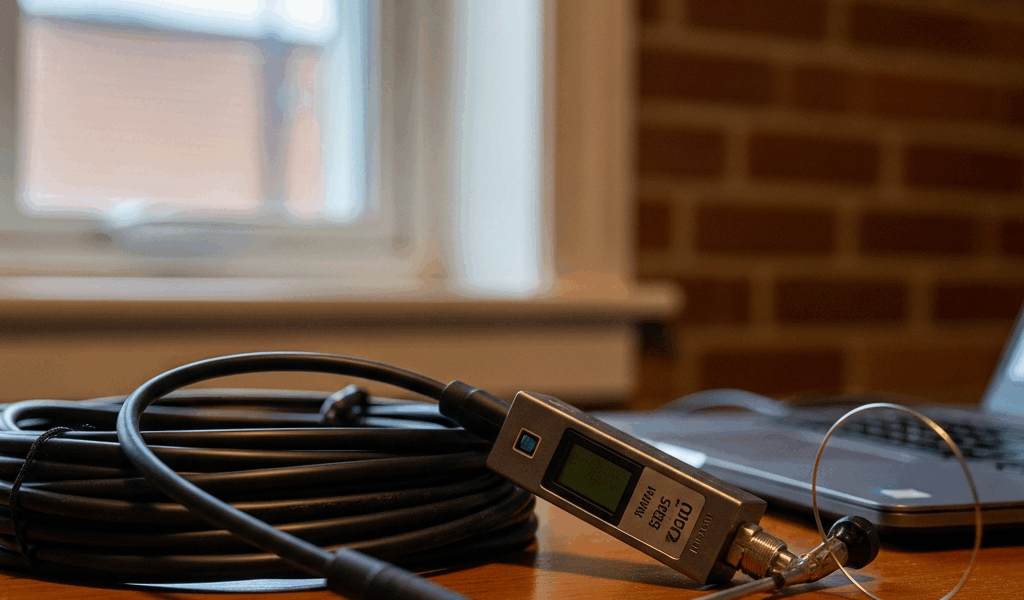
I tested this with a 15-foot run of RG-58 between a FlightAware antenna and a dongle. Message rate sat at 2–3 per second. I swapped in 6 feet of properly shielded RG-174. Message rate jumped to 180 per second. Same antenna. Same dongle. Same window ledge. The only variable was cable length and quality. That was a Tuesday afternoon I won’t forget.
Check these items first:
- Use the shortest coax run possible — under 10 feet is ideal, under 20 is acceptable
- Upgrade from RG-58 to LMR-240 or equivalent low-loss cable if your run exceeds 15 feet
- Inspect SMA connectors for bent center pins, loose threads, or any visible corrosion
- Disconnect and reconnect both ends — moisture or oxidation kills connections silently
- If you have a spare short cable sitting around, swap it in as a test even if the original looks fine
Moisture inside connectors is a silent killer. That’s what makes coax problems so endearing to us troubleshooters — they look completely fine on the outside. If your antenna sits near a damp window, condensation migrates into the coax over days or weeks and corrodes the center pin. RF stops flowing. Message rate stays at zero. You’d never know by looking at it.
Dongle Gain Settings That Prevent Any Decodes
Once signal actually reaches your dongle, gain settings can still kill decodes entirely. Indoors especially, this trips people up constantly.
The default for many ADS-B setups is automatic gain control — AGC. In theory, it adapts to incoming signal levels. In practice, indoors with weak and variable signals, AGC often oscillates between extremes and produces zero usable output. You’re receiving signal — your message counter ticks upward — but the gain is so mismatched that nothing decodes as valid aircraft data. Blank map. Still.
I’m apparently sensitive to signal variability, and manual gain works for me while AGC never stabilizes properly. Set gain manually. Most readsb or dump1090 configurations use a flag like --gain 44 or -g 44. Start at 44 dB for indoor setups. If you see zero decodes but the message rate is above 10 per second, try dropping gain to 40 or 35 dB. If your message rate is under 5 per second, try raising it to 48 or 50 dB.
Small adjustment. Big difference. I’ve helped three different people with this exact problem in the past year alone — one in a third-floor apartment in Chicago, two in suburban houses with window-mounted antennas. All three had perfectly functional hardware. The gain was just mismatched for their location and antenna combination. Fixed in under five minutes each time.
How to Confirm Your Setup Is Actually Working
Run a sanity check before assuming anything is broken.
Use rtl_test or a simple FM radio app to confirm your dongle functions at all. Tune to a local FM station — anywhere in the 88–108 MHz range. If you hear audio, your dongle works. If you hear nothing, your dongle or USB connection has a problem. Rare, honestly. Maybe 5% of cases. But worth ruling out in 60 seconds before you spend an hour repositioning antennas.
Next, look at your message counter in dump1090 or your feeder’s web dashboard. This number shows RF messages per second — not decoded aircraft per second. If it’s sitting at zero or near zero, under 5 per second, your antenna or cable is the problem. Fix those first. If it’s above 30, your hardware is working fine — your gain or decoder settings need adjustment instead.
Set realistic expectations too. Outdoors with a decent antenna, you’ll see 100–200 aircraft in a 50-mile radius depending on airport density. Indoors, expect 5–30. Maybe 50 if you’re close to a major airport and lucky with window placement. That’s normal. You’re receiving through walls, not clear air. That’s what makes indoor ADS-B feeding endearing to us hobbyists — it actually works, even if imperfectly.
Work through the checklist in order. Antenna position, coax and connectors, gain settings, software verification. Most zero-aircraft problems vanish at step one or step two. The hardware is almost never the issue.

Stay in the loop
Get the latest aerodata updates delivered to your inbox.