The Ghost Flight Problem Is Real and Common
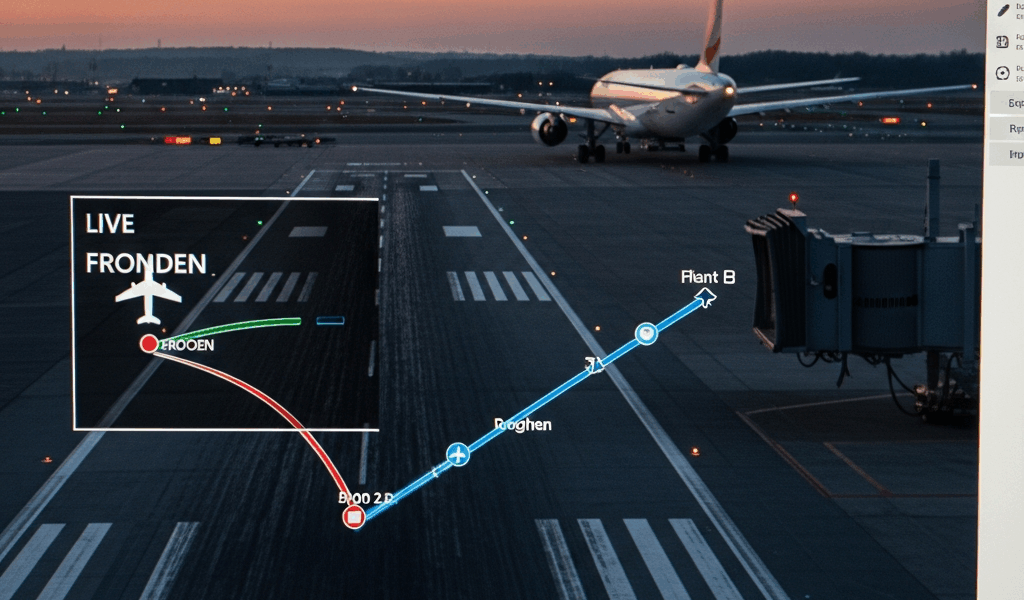
Flight tracking has gotten complicated with all the misinformation flying around about why your app seems to be lying to you. You’re sitting at your gate. The captain just killed the seatbelt sign. Ground crew is already popping open the cargo hold. But FlightAware on your phone? Still showing that little plane icon cruising at 28,000 feet, maybe ten minutes out.
This happens. More than you’d expect.
As someone who flies enough to have strong opinions about gate seating, I learned everything there is to know about this particular headache the hard way. Today, I will share it all with you.
It started on a flight into Atlanta — thunderstorm delay, miserable evening, the whole thing. The aircraft actually landed. I felt the touchdown. Heard the wheels go down. Watched runway lights blur past the window. FlightAware insisted we were still descending for another four minutes. My seatmate checked too. Same result on her phone. We weren’t losing our minds. The tracker was just behind — badly behind.
Why FlightAware shows a plane that already landed comes down to how data moves through their system. But what is this lag, exactly? In essence, it’s a pipeline problem. But it’s much more than that. Real-time tracking pulls from dozens of independent sources that don’t all arrive at the same moment, and FlightAware has to decide what to display and when. Understanding those delays — and knowing how to verify a landing yourself — saves you from the confusion I felt in seat 3C that night.
So, without further ado, let’s dive in.
How FlightAware Processes Position Data
FlightAware doesn’t own the receivers that track planes. They aggregate feeds from a patchwork of third-party sources — volunteer networks like OpenSky, FAA data feeds, and their own receiver hardware scattered across the country. Each source sends position pings at different intervals. Each takes a different path to FlightAware’s servers.
Here’s the chain. An aircraft transmits its GPS location via ADS-B roughly every second. A ground station picks that up. But that ground station might be 50-plus miles away. The signal still has to travel over the internet, sit in a buffer queue, get validated, get deduplicated, and finally land in FlightAware’s database before the map refreshes. Under good conditions, that whole journey takes under 30 seconds. Still — 30 seconds means the difference between showing a plane at 2,000 feet on approach and showing it already parked at Gate C14.
The system also caches data aggressively. FlightAware can’t recalculate every flight’s position thousands of times per second — nobody can — so they batch updates and serve the last known good position to your browser for a few seconds at a stretch. Your phone doesn’t always request the freshest data either. It’s caching on top of caching.
Probably should have opened with this section, honestly. It’s the foundation for everything below.
Three Reasons the Tracker Shows a Landed Plane as Airborne
1. ADS-B Feed Aggregation Delay
Ground station networks don’t report position data instantly. A receiver in Ohio tracking a descending flight over Pennsylvania sends that data through regional servers, validates it against other receivers, checks for conflicts, and forwards it upstream. Busy regional networks can introduce 45 seconds to two full minutes of delay on a single position report. Multiply that across dozens of overlapping feeds and you’ve got a significant lag window — one big enough to swallow an entire landing sequence.
2. Caching at FlightAware’s Display Layer
FlightAware’s servers cache the last known position for each aircraft to keep database load manageable. That cache might refresh every 5 to 15 seconds depending on the flight phase — which sounds fast until you’re standing at a baggage carousel wondering if your family’s flight diverted. If an aircraft lands before the cache refreshes, you see the old position. The landing event itself — a separate data point from position data — sometimes arrives through a completely different pipeline with its own delay stacked on top.
3. Transponder Shutdown Before Landing Detection
This one surprises people. Aircraft don’t stay active on ADS-B through the entire taxi-in and parking process. Pilots shut off the transponder somewhere between touchdown and reaching the gate — sometimes immediately, sometimes after a minute or two. When that transponder goes dark, the last reported position freezes on the map. FlightAware then waits for a separate landing confirmation from airline data, airport records, or flight status APIs. That confirmation runs on its own data stream. Its own delay. Its own problems.
I watched this live once on a Southwest 737 into Dallas — a 737-800, if memory serves. The map showed the plane still descending at 1,500 feet. Outside the terminal, I could already see baggage tugs rolling toward the gate. The plane had touched down five minutes earlier. The ADS-B data was stale and the landing status simply hadn’t refreshed. Don’t make my mistake of refreshing the app seventeen times expecting a different result. It won’t help.
How to Check If the Flight Has Actually Landed
While you won’t need a degree in avionics, you will need a handful of quick verification habits. The map position alone isn’t enough.
- Check the airline app directly. Southwest, United, Delta, American — most major carriers push landing confirmations to their own apps within about 30 seconds of gate arrival. That data comes from ramp agents and dispatch systems, not ADS-B. First, you should check here — at least if you want the most current information available without cross-referencing three different sources.
- Look at FlightAware’s status bar, not the map. The status section above the map on desktop often shows “Landed” or a gate number before the map icon has moved a pixel. I’m apparently wired to look at the pretty moving plane first, and ignoring the status bar never works for me. Check the text. Not the icon.
- Review the track log timestamp. Scroll down on FlightAware to the detailed flight track log. Each position report has a timestamp. If the most recent entry is from 10 minutes ago and the current time is now, the data is stale. The aircraft has almost certainly already landed and taxied to the gate.
- Cross-reference with Flightradar24. Flightradar24 might be the best option here, as flight verification requires independent data sources. That is because FR24 uses different receiver networks and different aggregation paths entirely. If FR24 shows the plane landed but FlightAware doesn’t, FlightAware is lagging. This comparison takes maybe 30 seconds and removes doubt completely.
- Text someone on the plane. The moment wheels touch down, cell service works. A quick text from a passenger onboard confirms what no app can — and it takes less time than refreshing FlightAware for the eighth time.
Why This Happens More at Busy Airports
Atlanta Hartsfield-Jackson, Dallas-Fort Worth, Chicago O’Hare — airports handling 2,000-plus flights daily create congestion in ADS-B receiver networks. Multiple aircraft descending to the same airport generate overlapping signal zones where ground receivers compete to decode transmissions arriving nearly simultaneously. Some signals show up out of order. Some get deduplicated incorrectly. The aggregation pipeline backs up just from raw volume.
That’s what makes busy hubs particularly frustrating to track during peak hours. Some large airports also have ADS-B dead zones near runways and taxi areas — places where terrain or runway infrastructure physically blocks line-of-sight to receiver antennas. The last position report comes in from 5,000 feet, then silence. The map freezes. FlightAware waits on another data source to confirm the landing, and while it waits, you see a phantom aircraft still descending toward a runway it already crossed six minutes ago.
This new problem of ghost flights took off several years later as ADS-B tracking went mainstream and eventually evolved into the nuisance enthusiasts know and grumble about today. It’s purely a display artifact — nothing more. The aircraft is safe. The pilots know exactly where they are. Air traffic control knows where they are. ADS-B is supplemental public tracking data, not a safety system. The lag on your phone has zero bearing on actual flight safety margins or control.
Next time FlightAware looks wrong while you’re standing at arrivals, run through the verification steps above. The aircraft almost certainly landed minutes ago. The data just hasn’t caught up to reality yet — and now you know exactly why that gap exists.


Stay in the loop
Get the latest aerodata updates delivered to your inbox.