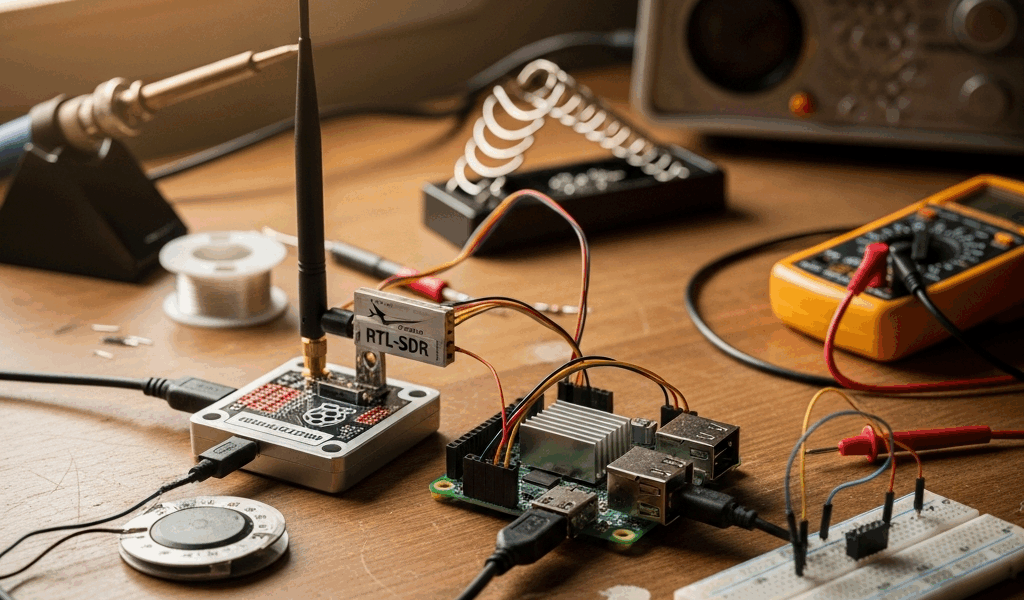
Your flight tracker app shows a gap right over your house. Aircraft that are clearly audible overhead just vanish from the map for a few minutes, then reappear on the far side. You could keep refreshing and hope another feeder fills the coverage hole, or you could build your own ADS-B receiver for about $75 and fix it yourself.
A home ADS-B station picks up the 1090 MHz signals that aircraft broadcast continuously — position, altitude, speed, callsign — and pipes that data to flight tracking networks like FlightAware, Flightradar24, and ADS-B Exchange. The hardware is cheap, the software is free, and the whole setup runs on a Raspberry Pi pulling about 5 watts from the wall.
What You Need: Hardware Options and Cost
Three paths here, depending on your tolerance for configuration:
RTL-SDR dongle (~$30 from RTL-SDR.com) — The cheapest route and where most hobbyists start. It’s a generic software-defined radio that receives 1090 MHz along with dozens of other frequencies. Takes a bit more setup since it wasn’t designed specifically for ADS-B, but it pairs perfectly well with a Raspberry Pi. If you enjoy tinkering with config files and command-line tools, this is your entry point.
FlightAware ProStick or ProStick Plus ($20–30) — Purpose-built for 1090 MHz with a bandpass filter already tuned to block nearby cell tower and FM interference. Easier to get running than a generic RTL-SDR because the filtering is handled in hardware. The Plus version adds a low-noise amplifier, which helps in marginal signal conditions. For a first build, this is the one I’d point most people toward.
Dedicated receivers like the SBS-3 ($200–300) — Self-contained boxes that skip the Raspberry Pi entirely. Expensive for what they deliver, and the community has mostly moved on from them. Unless you have a specific reason to avoid a Pi, the ProStick combo does the same work for a fraction of the cost.
Recommended first build: FlightAware ProStick Plus ($25) + Raspberry Pi 4 with 2GB RAM ($45) + microSD card ($10) + a 1090 MHz antenna ($15–30). Total: $75–100 for a station that feeds every major tracking network at once.
Software: Choosing Between PiAware, dump1090, and readsb
PiAware is FlightAware’s official package. Flash the pre-built image onto your SD card, plug in the ProStick, and data starts flowing to FlightAware within minutes. The built-in setup wizard handles most of the configuration. If you want the shortest path from unboxing to feeding, PiAware gets you there.
dump1090-mutability is the open-source decoder that originally built this hobby. It works with any compatible dongle and any feeding network. More knobs to turn than PiAware, but you’ll understand how each piece of the system works because you configured them individually. Good for learning.
readsb is the modern fork of dump1090 and what most experienced operators have migrated to. Cleaner decoding, better performance, actively maintained. Pair it with tar1090 to get a local web-based map running on the Pi itself — open a browser on any device on your home network and see your station’s coverage in real time.
The sweet spot for feeding multiple networks: install readsb + tar1090 as your base decoder and visualization layer, then layer on individual feeder clients — PiAware for FlightAware, fr24feed for Flightradar24, rbfeeder for RadarBox. They all pull from the same decoded data stream, so a Pi 4 running all four feeders simultaneously rarely breaks 15% CPU.
Antenna Placement: The Most Important Factor
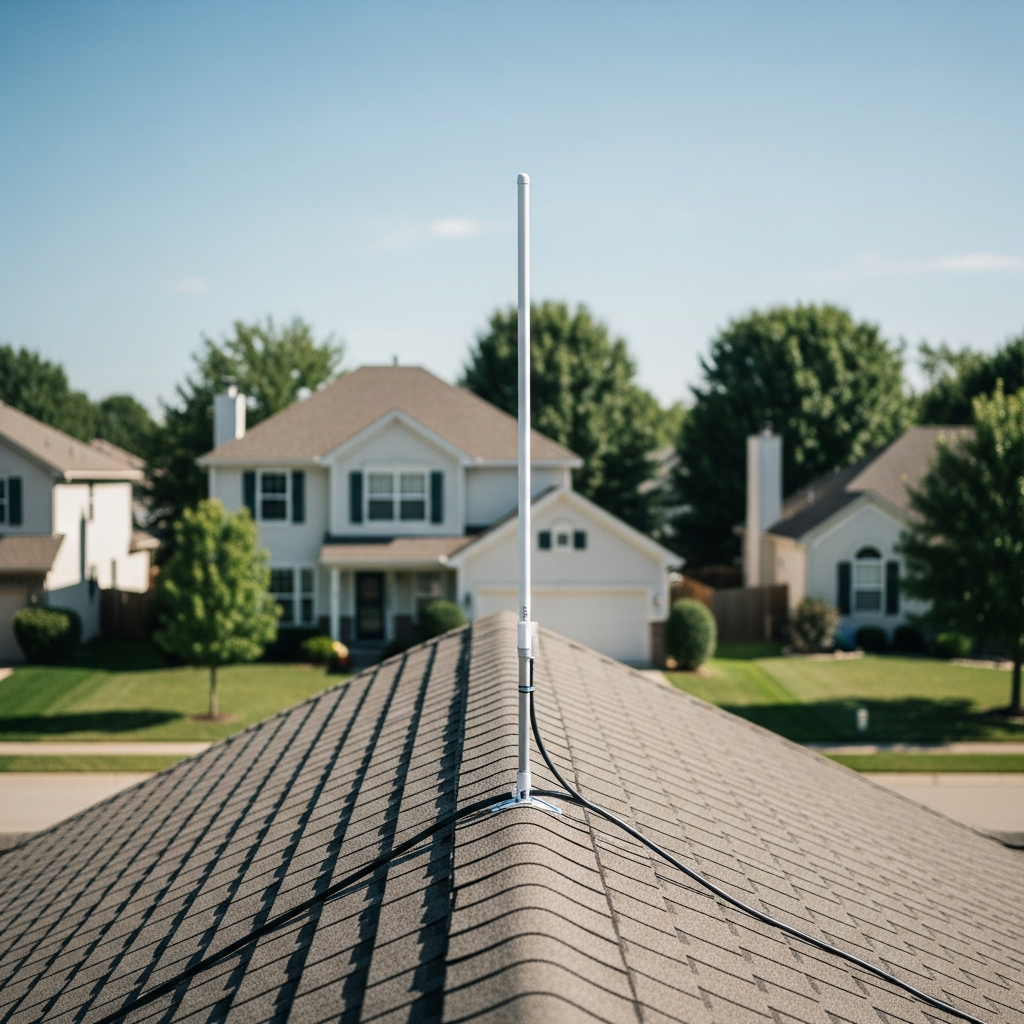
This is the variable that most new operators underestimate, and it’s not close. Premium hardware with a desk-mounted antenna will lose badly to a $75 setup with the antenna on the roof.
Height above obstructions is the single biggest driver of your station’s effective range:
Indoor antenna near a window: 30–50 nautical miles typical. Every wall, joist, and HVAC duct between the antenna and the sky attenuates the 1090 MHz signal. You’ll see aircraft overhead and some in the distance, but your coverage map will have obvious blind spots where the house blocks the signal path.
Outdoor antenna at roofline: 80–180 nautical miles in suburban areas. This is where the dramatic improvement happens. Getting above the roofline eliminates building obstruction and opens up a clear horizon in most directions. Terrain still creates shadows behind hills, but your coverage circle grows enormously.
High-rise or hilltop: 200–250 nautical miles is realistic with a tuned antenna and open sightlines. At these distances, earth curvature becomes the hard limit — aircraft below 5,000 feet AGL physically drop below the horizon past 50-ish miles regardless of what hardware you’re running.
The antenna type itself makes a difference too. A 1090 MHz resonant antenna — quarter-wave ground plane (buildable for $15 in parts from the hardware store) or a commercial 1090 MHz model ($25–40) — significantly outperforms the generic whip that ships with most RTL-SDR kits. That stock antenna works at 1090 MHz. Just not well.
One thing that trips people up: coax cable loss. At 1090 MHz, standard RG-6 loses roughly 6 dB per 30 meters — that’s about 75% of your signal gone on a long run. Keep cable under 10 meters, or step up to LMR-400 low-loss cable. Even better: mount the Pi near the antenna and run Ethernet (or Wi-Fi) back to your network instead of running a long coax.
Connecting to Flight Tracking Networks
Feed all of them. No exclusive arrangements exist, every major network accepts simultaneous feeders, and each one gives you something different back.
FlightAware (PiAware): Largest feeder community worldwide. Active feeders get a free Enterprise account (normally $109/month) with detailed stats about your station — message rate, aircraft count, range rings, coverage heat map. The stats page alone justifies installing PiAware.
Flightradar24 (fr24feed): Picks up some aircraft and regions that FlightAware doesn’t, especially outside the US. Free Business subscription (normally $500/year) for active feeders.
ADS-B Exchange: The uncensored option. No aircraft blocked or filtered — military, government, private jets that opt out of other platforms all show up here. If open data matters to you, this is the network that treats it as non-negotiable.
RadarBox (rbfeeder): Another solid option with its own station statistics and coverage mapping. Free Business plan for active feeders.
All four feeder clients run concurrently on a single Pi 4 with almost no performance impact. The Pi decodes the raw radio signal once through readsb, and each feeder simply taps into that shared data stream.
What to Expect: Range and Coverage Realities
Your coverage map won’t look like a perfect circle. It will be an uneven blob that reflects your local terrain, antenna height, and nearby obstructions. That’s completely normal — every feeder’s map looks like that.
In a typical suburban spot with an outdoor roofline antenna, figure on 100–150 nautical miles in most directions, with dips behind hills or tall structures. You’ll track hundreds of aircraft per day and decode thousands of messages per second during busy traffic periods. High-altitude commercial jets at cruise (35,000+ feet) appear well beyond 150 miles. Low-altitude GA traffic below 5,000 feet drops off quickly past 50 miles — earth curvature, not your hardware.
The first few days after going live are the most interesting. You’ll see exactly which compass directions have strong coverage and which have dead zones. After that initial map takes shape, optimization becomes the ongoing project: adjusting antenna height, adding a cavity filter, trying different cable, chasing a few more nautical miles of range. The forums on FlightAware and ADS-B Exchange are deep resources once your basics are running and you want to squeeze more out of the setup.
Total time from opening the box to feeding your first network: roughly 2 hours if you’ve touched a Raspberry Pi before, 3–4 hours if it’s new territory. The hardware cost is a weekend-project budget. And the data you contribute fills real gaps in the global tracking picture — while giving you a live, local view of every aircraft within a hundred miles of your house.




Stay in the loop
Get the latest aerodata updates delivered to your inbox.