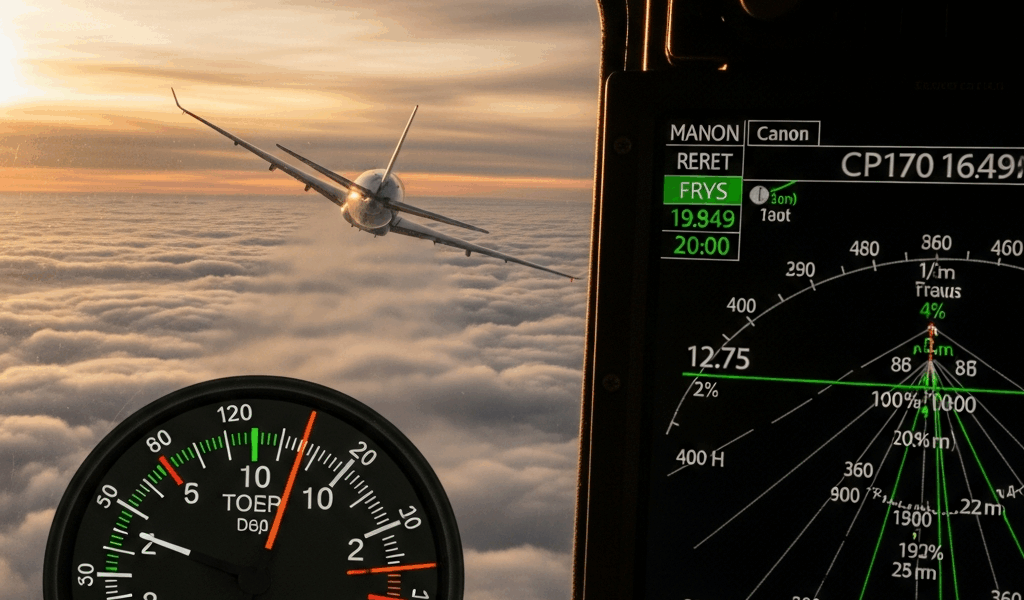
The Altitude on Your Tracker Is Probably Wrong — And That’s Actually Normal
Flight tracking has gotten complicated with all the misinformation flying around about what those altitude numbers actually mean. You’re watching a flight on FlightRadar24 or FlightAware. The plane climbs to 35,000 feet. You switch tabs, come back five minutes later — 34,500 feet. Or worse, you refresh and watch it ping-pong: 35,200, then 34,900, then 35,100. Looks like the aircraft is riding a mechanical bull somewhere over Ohio.
First instinct: the tracker is broken. Second instinct: something is wrong with the plane.
Neither is right. As someone who has spent an embarrassing number of hours staring at flight tracker screens, I learned everything there is to know about why these numbers behave the way they do. Today, I will share it all with you.
The short version: there are three main culprits. The aircraft reports altitude in one measurement system, your tracker receives it in another, and neither updates fast enough to match real-world physics. But each of those deserves its own explanation — so, without further ado, let’s dive in.
Pressure Altitude vs. Geometric Altitude — They Are Not the Same Number
But what is pressure altitude? In essence, it’s what your aircraft’s barometric altimeter reads by converting air pressure into an altitude figure. But it’s much more than that — it’s the entire foundation of how aviation altitude works, and most tracker confusion starts right here.
Pilots don’t use GPS to know how high they are. They use a barometric altimeter, which reads the air pressure outside the plane and converts it to an altitude reading. That conversion uses a fixed standard — 29.92 inches of mercury, what aviation calls the “standard atmosphere” — not whatever the actual barometric pressure happens to be on a Tuesday morning in November. This reading is called pressure altitude, or indicated altitude. It’s what air traffic control works with. It’s what the transponder broadcasts.
GPS altitude is something else entirely. It calculates actual height above sea level using satellite signals. Geometric altitude. Same concept, completely different method.
On a calm, average-pressure day, these two figures sit within maybe 50 feet of each other. Fine. On other days, they drift 200, 300, even 400 feet apart. A flight cruising at 35,000 feet pressure altitude might have a true elevation closer to 34,750 feet — or 35,350 feet — depending entirely on what barometric pressure is doing that morning.
Consumer trackers pull from different sources. FlightRadar24 relies heavily on ADS-B receivers — more on those in a moment. Other trackers blend in GPS data, airport ground reports, and radar feeds. So when your tracker shows 35,000 feet and a dedicated aviation app shows 35,247 feet, both numbers are technically correct. One is pressure altitude. One is geometric. Neither is lying to you.
Probably should have opened with this section, honestly. This single distinction explains 60% of the confusion I see people post about online. It’s also why commercial aircraft carry independent altitude reporting systems — agreement across methods matters, and those methods naturally disagree until you understand what each one is actually measuring.
How Your Transponder Type Changes What Trackers Can See
The transponder is the box on the aircraft doing the broadcasting. Not all transponders are created equal — not even close.
Older aircraft run Mode C transponders. These report pressure altitude in 100-foot increments. Coarse data. A plane sitting at 35,247 feet gets rounded. It might broadcast 35,200. Next ping, same altitude, still 35,200. A few seconds later, a different reporting cycle pushes out 35,300. From where your tracker sits, that looks like a 100-foot jump in seconds. The aircraft probably moved 15 feet. The transponder just wasn’t precise enough to capture it until the number crossed the next increment boundary.
Newer aircraft — most commercial airliners delivered within the last 15 years or so — carry ADS-B Out transponders. These use GPS and broadcast altitude at much finer resolution. The precision is genuinely there. The catch: older Mode C aircraft are still flying. Plenty of them. A regional turboprop serving a smaller airport? Probably Mode C. When you track that flight, you’re watching altitude in 100-foot chunks whether you realize it or not.
There’s another layer worth understanding. Many trackers don’t receive data directly from aircraft transponders. They receive it from ground stations — often run by volunteers — or from MLAT networks, which stands for multilateration, a method that triangulates position by timing signals across multiple ground receivers. Each step in that chain introduces small errors. A ground station might be slightly off calibration. An MLAT calculation depends on the geometry of where those receivers happen to be sitting. The altitude on your screen is sometimes an average, sometimes an interpolated estimate built from the last several data points.
That’s what makes this system endearing to us aviation nerds — it’s genuinely impressive that it works as well as it does, given how much of it runs on volunteer hardware and open-source math.
Data Lag and Refresh Rates — When the Altitude Is Just Running Behind
Here’s something obvious that trips people up anyway. Your flight tracker is not live. It’s live-ish.
Most consumer trackers refresh every 5 to 30 seconds depending on your subscription tier and the data feed behind it. The free tier on most platforms runs around 15–30 seconds. Premium gets you closer to 5. During those gaps, the aircraft keeps moving. During a climb out of Denver — where the rate of climb on a 737-800 runs roughly 2,500 feet per minute — a 15-second lag means the plane is already 600 feet higher than what your screen shows when the data finally arrives.
Some trackers try to smooth this. They plot a projected trajectory based on recent altitude reports and display an estimated current position, even without fresh data. On a steady cruise at FL350, that works beautifully. On a climb out of a mountain airport, it falls apart — the smoother can’t predict how quickly the rate of climb will change, and the result looks like aerobatics.
During a descent into a busy hub — LAX, O’Hare, Heathrow — you’ll sometimes watch altitude drop in stuttering steps. That’s not the aircraft. That’s your tracker catching up to reality in batches. The plane is descending smoothly at around 1,500 feet per minute. The tracker is just showing you snapshots.
When Wrong Altitude Actually Means Something Is Off
Most altitude weirdness is normal. Some isn’t.
Watch for specific red flags. An aircraft showing ground-level altitude while supposedly in cruise is not a lag issue. A sudden 5,000-foot spike that never corrects itself is worth a second look. A persistent mismatch where multiple independent trackers all show the same wrong altitude — and it stays wrong — suggests something real is happening upstream.
Real problems exist. A transponder can malfunction. A Mode C system might report incorrectly if the cockpit pressure sensor is off. Someone can broadcast a fake ADS-B signal — yes, this happens, yes it’s illegal, and yes the FAA treats it seriously. A receiver in a ground station network can drop offline, quietly breaking the triangulation math for that whole region without any visible error message on your screen.
I’m apparently the kind of person who cross-references three different trackers when something looks wrong, and that habit works for me while trusting a single source never does. Don’t make my mistake — or rather, do make it. It’s a good habit.
But here’s the bigger point: commercial aviation does not rely on FlightRadar24 for safety. Air traffic control runs independent radar, maintains Mode C reports backed by pressure sensors in the cockpit, and follows strict cross-checking protocols. Every commercial aircraft carries multiple redundant altimeters. Ground crews verify them before departure. What you’re watching on a consumer tracker is a window into the system — a genuinely fascinating one — not the system itself.
So yes. Your flight tracker shows the wrong altitude. All of them do, all the time. Now you know exactly why.



Stay in the loop
Get the latest aerodata updates delivered to your inbox.